NEC SV8100
These instructions help you configure your NEC SV8100 phone system to work with TIM Enterprise. Contact your system maintainer if you are not familiar with the configuration of your PBX.
Support files
Ensure the following support files exist in the /config/ folder of the TIM Enterprise application:
NEC DXE.TDT
NEC DXE.TDS
Contents
Configure the SMDR output
info
You may need to purchase a license to enable SMDR on this PBX. Please speak to your system maintainer if you are unsure.
Follow the instructions below to configure your NEC SV8100 for use with TIM Enterprise:
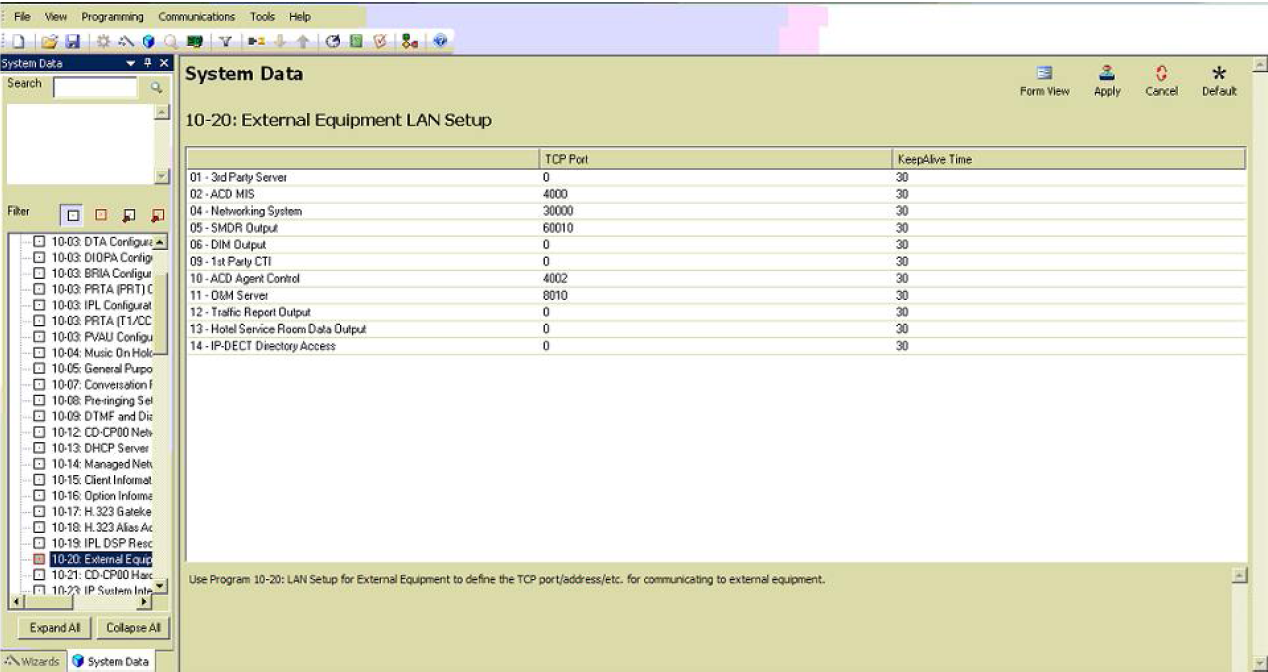
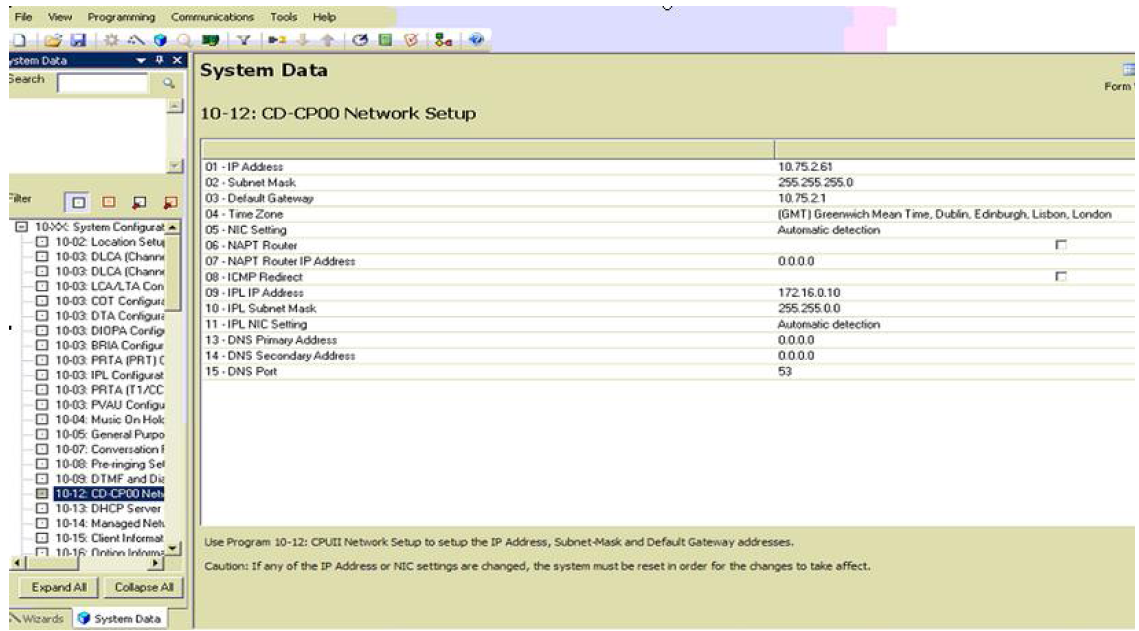
External equipment LAN setup
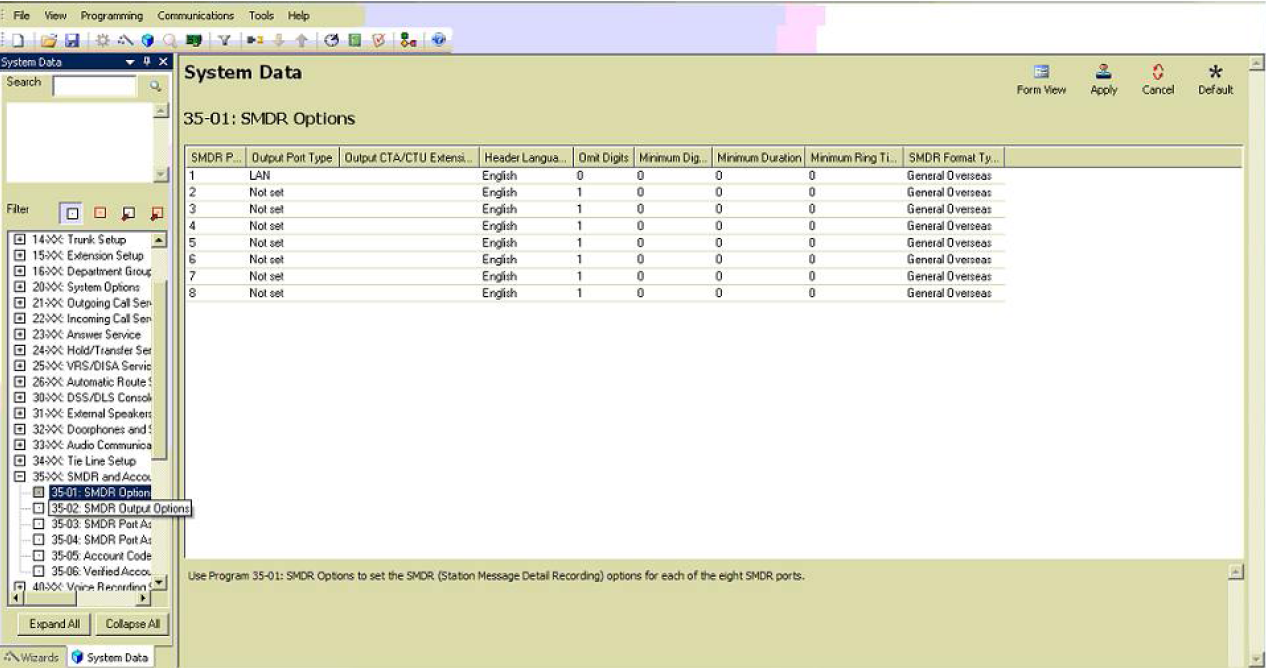
SMDR options
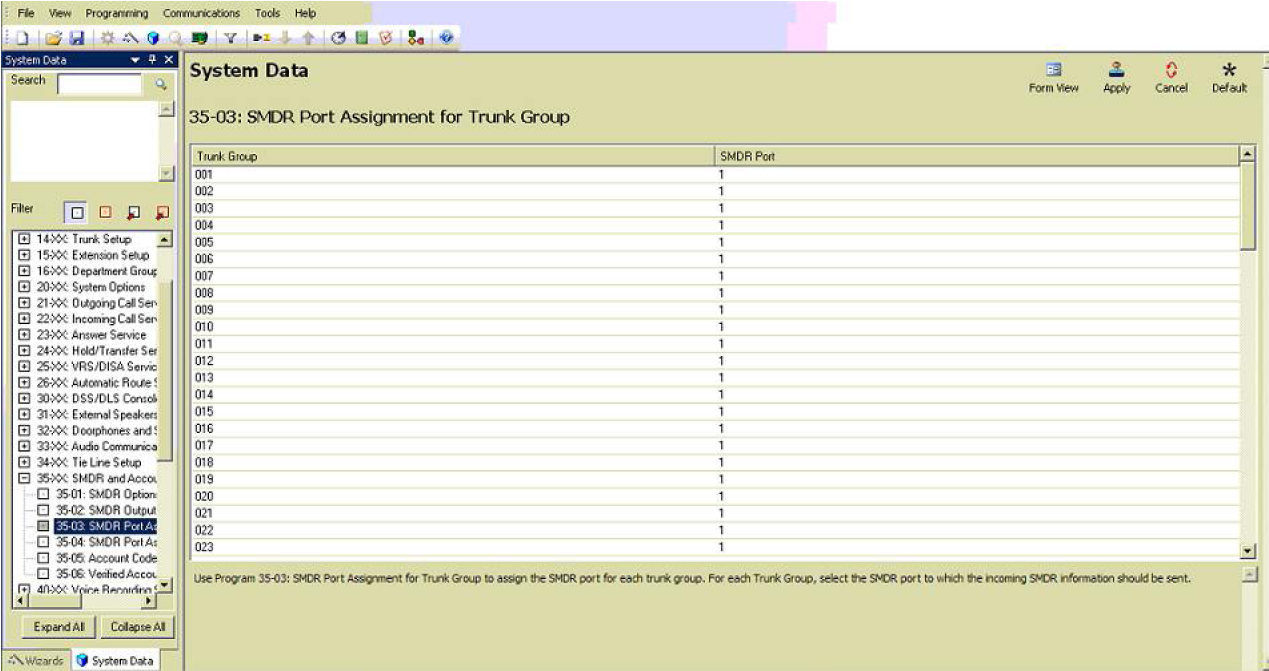
SMDR port assignment for trunk groups
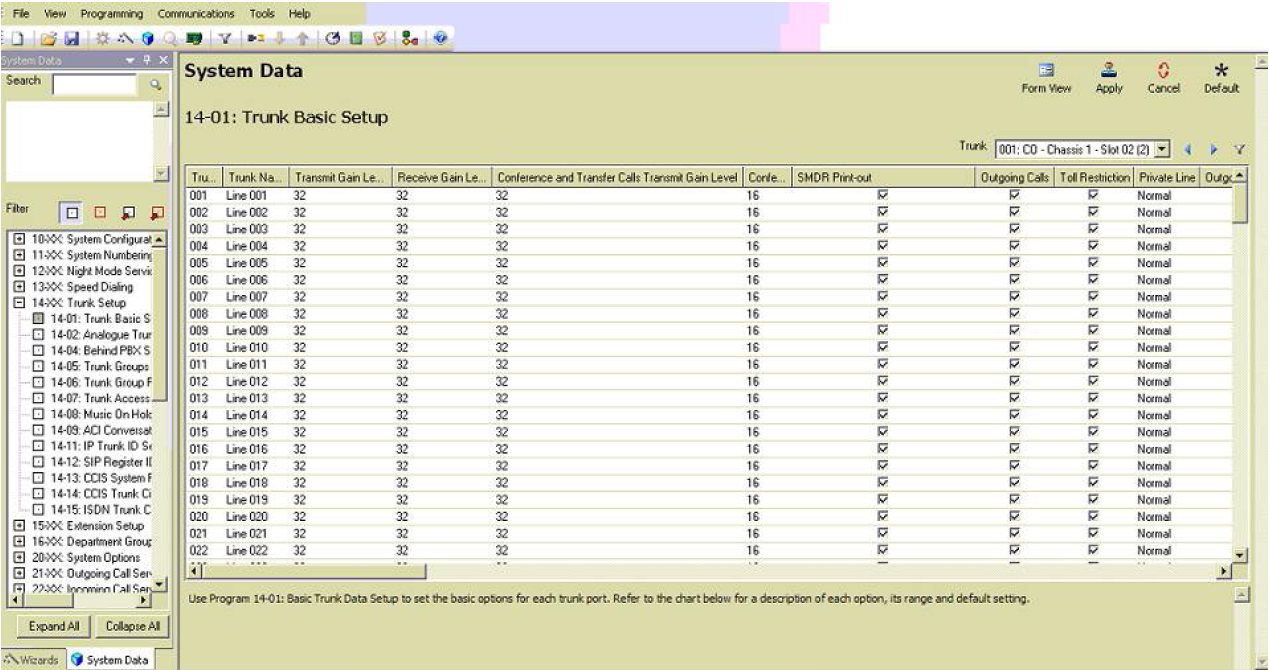
Trunk Basic setup
CD DP00 Network setup
Configure The TIM Enterprise
Follow the steps below to configure TIM Enterprise to collect the SMDR data from your NEC XN120:
- Click on the Directory tab.
- Locate the PBX object you want to configure in the Directory, right-click on it and select Properties.
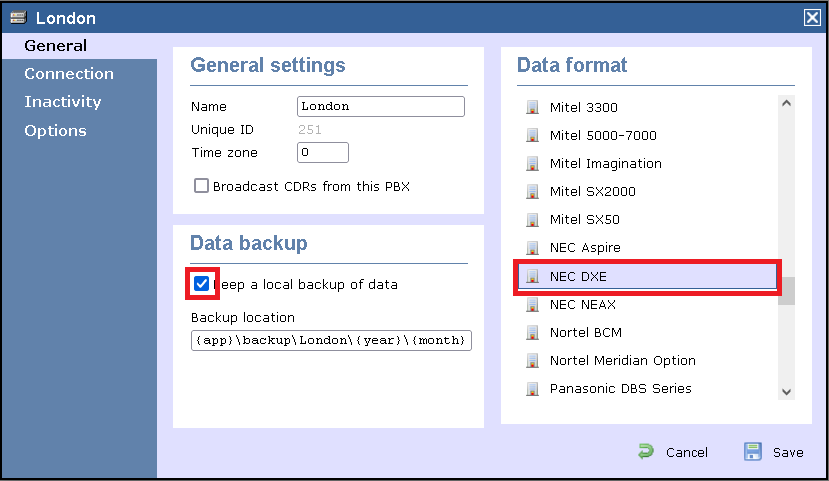
- A new window will open, displaying the general properties of your PBX object. Select NEC DXE from the Data format list and tick the Keep a local backup of data box, as shown below:
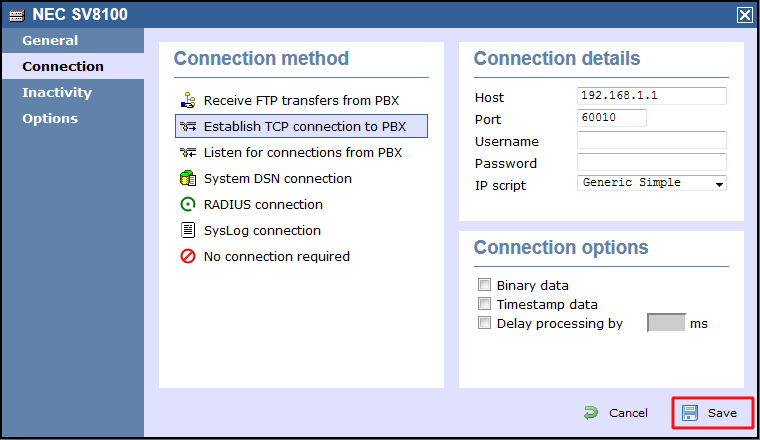
- Click on the Connection tab and select Establish TCP connection to PBX from the Connection method list.
- In the Host field, enter the IP address of your NEC SV8100.
- In the Port field, enter 60010.
- Leave the Username and Password fields blank.
- In the IP script field, select Generic Simple from the drop-down list.
- Click on the Save button to apply the changes.